


2195 days ago
Business price lists and discounts on repeat pickups
Business price lists and discounts will now be applied to repeat pick ups set up in the system.
Tangerpay joins forces with CleanCloud to redefine the laundry experience | Learn more
Keep track of all new updates to CleanCloud
Business price lists and discounts will now be applied to repeat pick ups set up in the system.
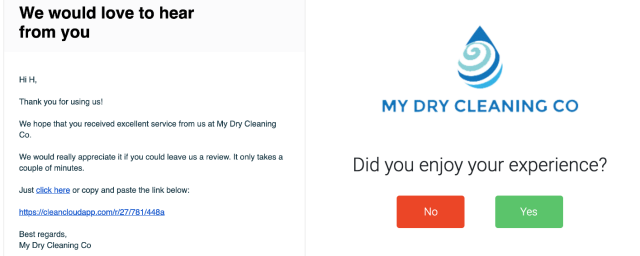
We have introduced a new review module that will allow your customers to leave a review on Google, Facebook or Yelp.
Customers will be sent an email, SMS or Push notification with a link, which will take them through to say if they had a positive experience or not.
Should they click 'Yes' they will be able to select the platform on which they want to leave a review. Should they select 'No' they can leave their review for you to look at internally and take the necessary action.
To change the settings for this feature you will need to go to Settings > Marketing > Reviews
We have now introduced a smart search box to the POS.
You can search for any customer in the search bar in the top right hand corner. A pop up box will then appear which will show you information on the customer.
This includes -

Auto mark orders as cleaned
There are now three different options to choose from when selecting the 'Empty Dryer' button. This can be edited in Settings->Admin->Washers and Dryers The options are as follows -
1) Don't mark order cleaned
2) Prompt for confirmation each time
3) Automatically mark order as cleaned
Automatically suggest machine ID when send to washer/dryer
You will no longer have to manually input a machine ID.the lowest available machine ID will be preselected and other machines are available in the dropdown.
Machines that are already in use will be shown at the bottom of the list should the user want to override.
Send multiple orders from Machine to Dryer on Machines Page
You can now batch select orders that are in the machine to send them to the dryers.
If you use the pickup and delivery feature, you can now send out an email to your customers to inform them that you offer this service.
To do this go to Settings > Pickup and Delivery > General Settings > Send Email to All Customers
You can now delete an item from the basket on the new order page.
To do this, click on the pencil to edit the quantity of the item, a pop up box will then appear enabling you to click delete.

You can now adjust the width of the product buttons on the new order page.
To do this, you will need to go to Settings > Products > New Order Page > Product Button Width
You can select from, Narrow, Default and Wide.
You can now add any sized image when uploading custom icons in CleanCloud.
These icons will automatically resize when uploading.
Full automation means staff can barcode scan the order receipt barcode, then scan the slot on the QuickSort conveyor. This will automatically update CleanCloud, assigning the Kiosk Slot, and it will update the order as cleaned (moving it to the READY page) and notify the customer. The customer notification will have the slot number and PIN, as well as their QR code.
When customer picks up from the 24/7 Kiosk the order will automatically move from READY page to completed in CleanCloud.
The background colour of items changes when hovering over them on the new order page.
