CleanCloud Updates

Keep track of all new updates to CleanCloud

1842 days ago

Bag Labels Item and Order Notes

If you have Bag Labels enabled to print out on New Orders. They will now print out with the Item Notes and Order Notes on the tags.

These bag labels can be printed via the receipt printer can be set to auto print via Settings > Printers > Receipt Printer > Auto Print Laundry Bag Tags


1844 days ago

Merge Customer update

If you have a shared customer database in CleanCloud, when you merge a customer, this will merge all orders for that customer across all stores.

To merge a customer you will need to click on Admin > Admin Tools > Merge customer.

*Please note that only the main admin user can use the Merge Customer feature*

1846 days ago

Photos in Plant mode

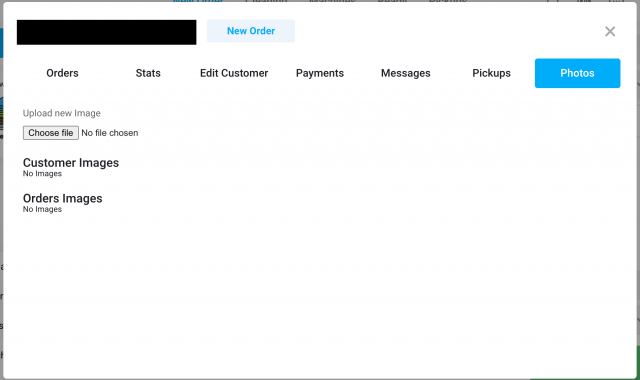
in Plant mode, users will now be able to see any photos that are attached to an order.

When looking at the orders a photo icon will appear next to the edit/update button. If users click on this a pop up will appear with the photo.

1847 days ago

Limit Plant Mode to certain sections

You can now limit which sections appear within Plant mode.

This will allow you to limit which orders users can see within Plant mode for example if you outsource to a tailor you can limit Plant mode so they only see those orders.

If you would like to do this, please reach out to the support team and they will be able to assist with your request.

1849 days ago

Mark invoice as unpaid

You can now mark invoices as unpaid, if they have been marked as paid.

This is an Admin feature and so only the admin users will have the ability to do this.

Should you want to mark an invoice as unpaid, you will need to go to Settings > Admin > Admin Tools > Undo Invoice Payment > Enter the invoice ID

1849 days ago

Business Account export

You can now export the information found in the Business Account section.

To do this you will need to go to Settings > Metrics > Data Export > Business Accounts.

1850 days ago

Print customer barcode using receipt printer

You can now print a customers barcode using the receipt printer.

This can be printed by going to the customers profile > Stats > Print Barcode

Each time this barcode is scanned, it will bring up the customer CRM.

1852 days ago

Customer App Updates - Driver Tracking

If you have push notifications enabled for driver tracking (Settings > Admin > Pickup and Delivery > Driver App > Send Push Notification to Customer When Driver On Their Way)

The customer will receive a push notification to their phone. Alongside this customers will also be able to track the driver location in the app via 'My Orders' On the relevant order they can click on 'Driver Location' and this will show them where the driver is and estimated time of delivery.

1853 days ago

Customer App Update - Skip Saturday and Sunday

You can now amend your service schedule so that Saturday and Sundays are not included in Pickup and Delivery day calculations.

This can be switched on/off in Settings > Admin > Pickup and Delivery > Pickup/Delivery Options > Skip Saturday in Hours Calculation/ Skip Sunday in Hours Calculation

1854 days ago

Customer App Update - Subscriptions

Customers can now delete subscriptions via the customer app, which will mean they no longer have to get in touch with the store in order to have a subscription removed.

To remove a subscription they will need to go to Profile > Subscriptioons > Select the relevant subscription and delete it.